DEVLOG
Target Gameplay Footage Generated with AI
What Worked, What Broke, and What I'd Do Differently
Big AAA-game studios like Ubisoft build something called "target gameplay footage" early in a game's life — a short, continuous, over-the-shoulder gameplay camera shot that isn't real gameplay yet, but proves out the tone, the mechanics, and the feel of the game they're trying to make before committing years to it. I wanted to see if I could pull off something similar for Squirrel Brawler using nothing but current AI image and video tools, in about a weekend. It was also an experiment to see how my animation background could translate to AI tools.
Short version: I never got the single continuous take I was chasing. But I walked away with a clip that sets the tone, shows off tree traversal and the squirrel fantasy, shows off some combat and enemy design, and gets the art style across — plus a much clearer picture of where this pipeline actually breaks.
The setup
I wanted one continuous, over-the-shoulder gameplay camera shot: tree traversal into combat, no cuts, like you're actually holding the controller. The plan was simple on paper: script it fully, lock the visual canon (camera, lighting, character identity), generate 8 keyframes, animate them, cut it together. Budget: one Higgsfield Plus subscription (~$60), one weekend, 5–6 hours.
It took closer to 10.
I used the following setup:
Claude to write the script and prompts that drove Higgsfield's MCP
Nano Banana for keyframes
Seedance 2.0 for video
Gemini for some pickup work
Cut it together in DaVinci Resolve.
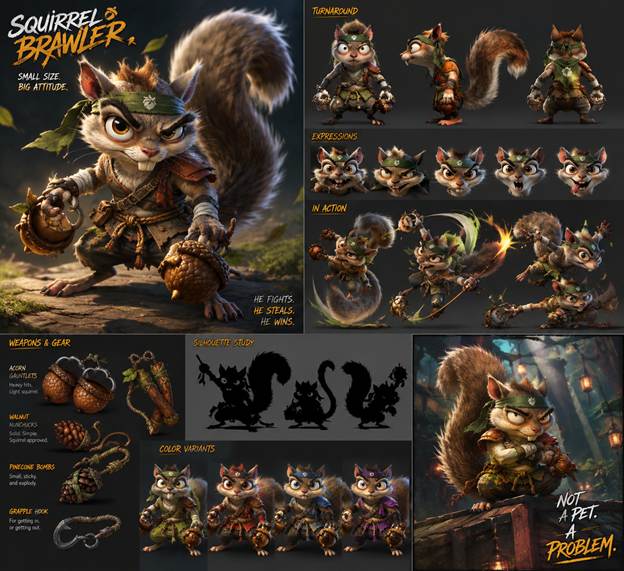 | 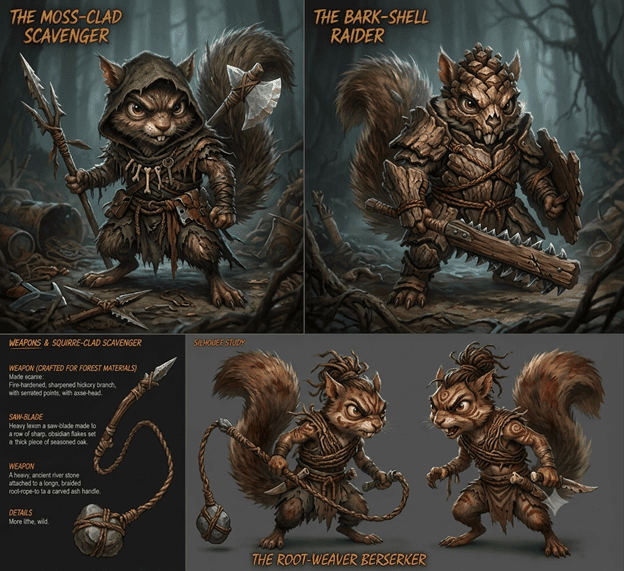 | 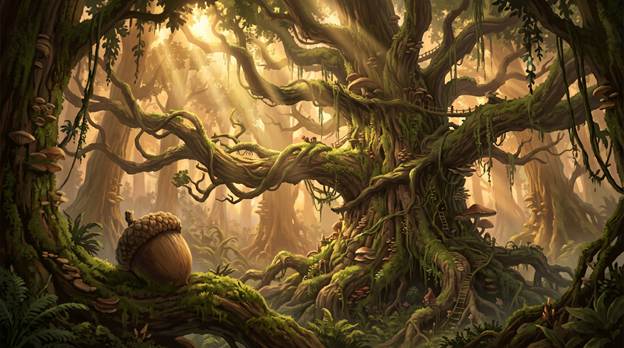 |
What went wrong: the keyframes
Before animating anything, I generated 8 still keyframes to lock camera, lighting, and character identity — the visual storyboard for the whole piece. A few of the ways it fought back:
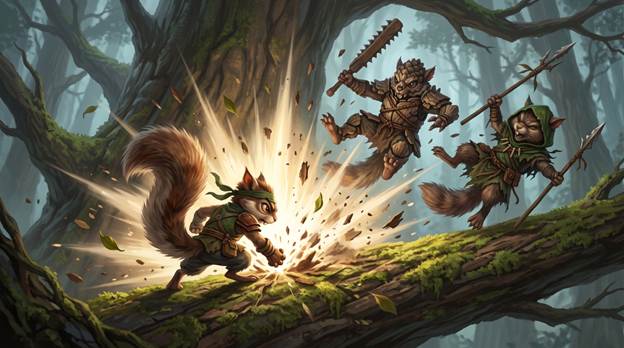
Inconsistent Lighting. The light tones and sun direction changed from frame to frame so it took some iteration in the prompts to lock that down.
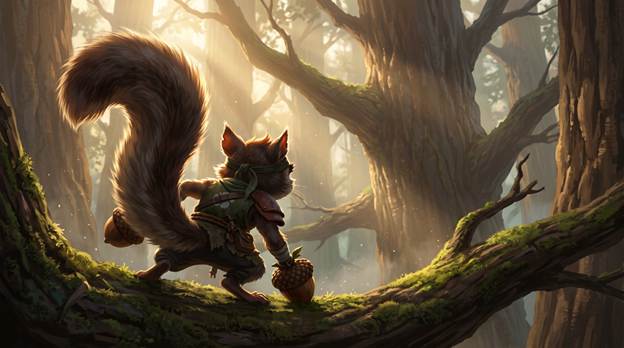 |  |
|---|
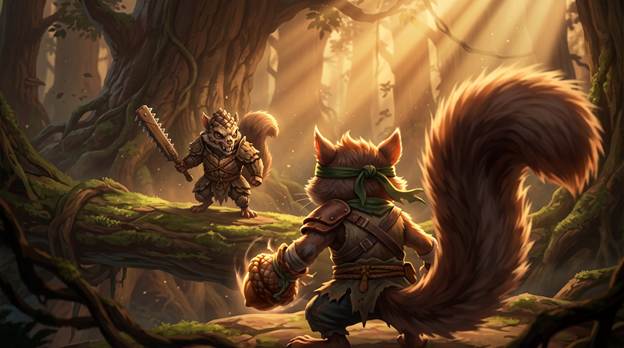
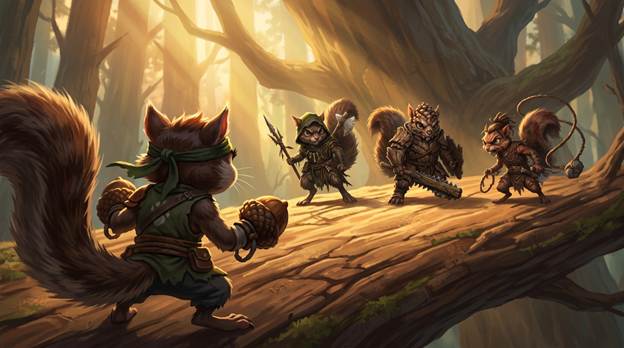
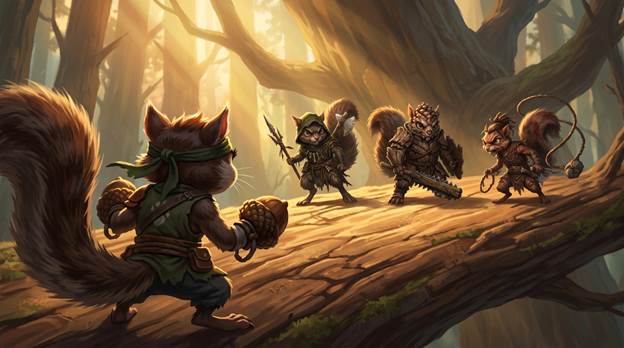
The camera kept flattening out. I locked an over-the-shoulder combat camera early, and it held for most shots — until the two busiest combat shots quietly regressed to a flat, orthographic angle, in the same session where I'd already confirmed the lock.
 |  |
|---|
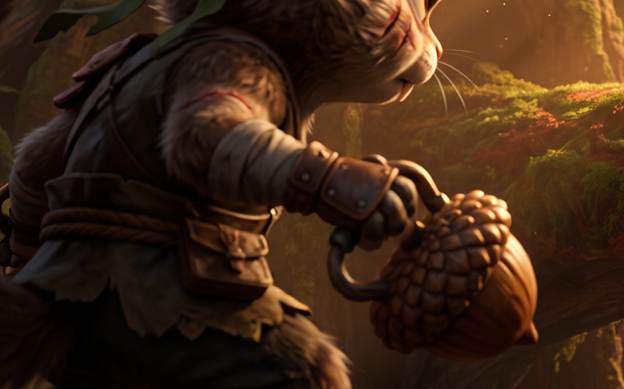
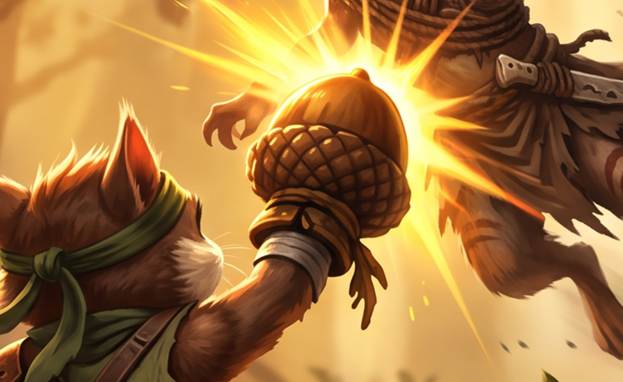
My own prop design drifted without me noticing. The Acorn Gauntlets are canon gear, and I wrote out a full spec for them. But because that spec only ever existed as text, never as a reference image, the shape and detail kept sliding shot to shot — even after I'd “locked” it in writing.

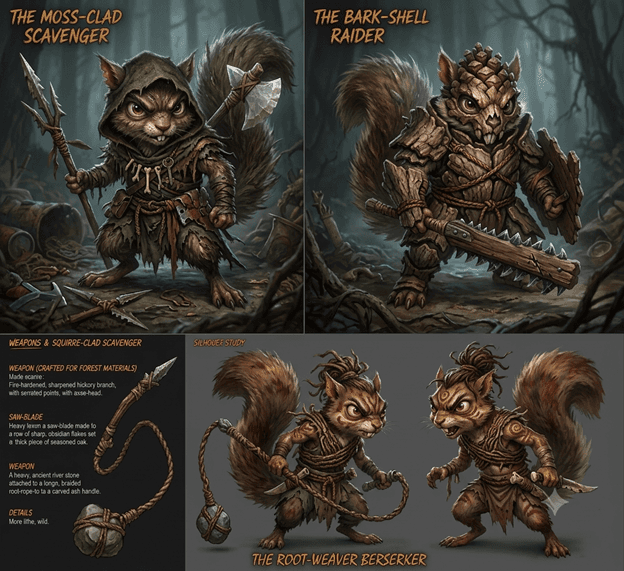
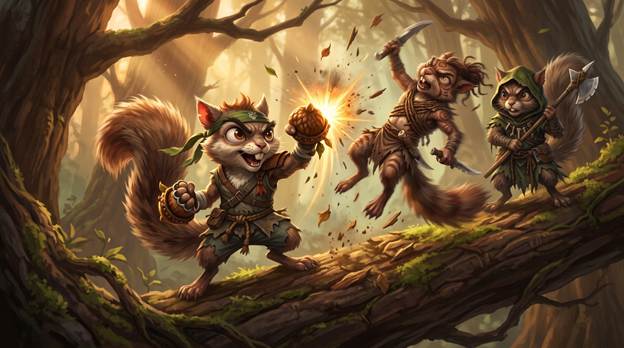
Enemies froze into their concept art pose. Instead of dynamic, in-action poses, the bandits kept rendering as static, rotated copies of their reference sheet — like the model was pasting the reference in rather than animating from it.
 |  |  |
|---|
What went wrong: the motion
Turning those 8 stills into video with Seedance 2.0 is where the real fight happened.
Half a clip would be great, and half would be broken — with no way to keep the good half. Every fix meant regenerating the whole clip and hoping the working part survived the reroll. You cannot edit your way out of these in post-production.
Directing detailed action with only text is very challenging. Prompting to have the hero to “land onto the tree on all four legs, have the hind legs slip out from under him, then pull himself up with the front legs, and start accelerating into full sprint on all four legs up the tree” in order to direct a motion took a lot of iteration and burned tokens to get something reasonable.
Camera drift. My very strict rule was to maintain an over-the-right-shoulder gameplay camera and locked composition throughout the entire sequence. Many of the generations completely ignored this rule or animated wildly throughout the shot.
Many shots had slow motion built into them. I’m still trying to figure this one out. I can only assume it’s because Claude’s prompts had rough time estimates built into each shot. Because of the locked shot time, the slow motion would eat up the time and the full animation wouldn’t play out.
AI Hallucinations. Some of the prompts included analogies in order to better communicate my intent. For example, “I’d like the enemies to go flying when the first enemy collides, like billiard balls.” The AI in that case generated literal billiard balls in the scene.
The tool has invisible trigger words. Prompts containing things like “kung fu hit” kept getting auto-declined by a content filter, for completely tame action shots. I had to catch it and retry, repeatedly, across most of the action-heavy shots.
The 8 shots never actually connected. Every clip generated in total isolation from its neighbors — no shared camera state, no momentum carried across the cut. The seams became really obvious once everything hit the edit.
Iterating AI-generated motion is expensive. In about 6 hours, I burned through all of my $60 monthly allocation. I had to use other tools like Gemini for pickup shots to get it across the finish line.
The real problem
All of that traces back to one thing: these tools treat every shot as its own independent production. There's no native way to carry a camera, a pose, or a beat of momentum from one generation into the next. You generate shots in isolation and hope they cut together — which is exactly backwards from what a continuous gameplay camera needs. That single limitation is why the “as if you were the player” version of this never quite landed, and it's the thing I'd design around first if I ran this again.
Was it worth it?
Honestly — yes, even though I'm not thrilled with the final edit. It's not a great piece of storytelling. But it does what it actually needed to do: it sets the tone, it shows traversal, it shows combat and enemy style, and it gets the art direction across. As a functional pitch for gameplay mechanics and mood rather than a narrative short, that's a real win for what turned into about ten hours of work.
What I’d do next time
If I were to rebuild this video again around what I learned:
• A far more verbose script — every action, movement, and camera look spelled out, shot by shot, before generating anything.
• A “motion canon” locked up front — impact physics, camera-follow rules, no-time-warp language — the same way I locked the visual canon.
• Dense, chained clips built on shared waypoint frames instead of 8 independent shots I have to force together in the edit.
• Actual motion-reference input for combat choreography, instead of trying to describe a hit reaction in words alone.
If you're a solo dev thinking about trying this for your own game: budget more time than you think, write more detail than feels reasonable, and go in expecting to learn more about the tools than about your game. That part, at least, worked exactly as planned.